During Spring of 2025, RoboAI academy and Kankaanpää’s Art school decided to have a project, where the students would be introduced to each other’s campuses and ways of teaching and learning. From this introduction sparked an idea for an interactive installation, which would showcase RoboAI academy, Art school’s artistic inspiration and how AI can be used in storytelling.
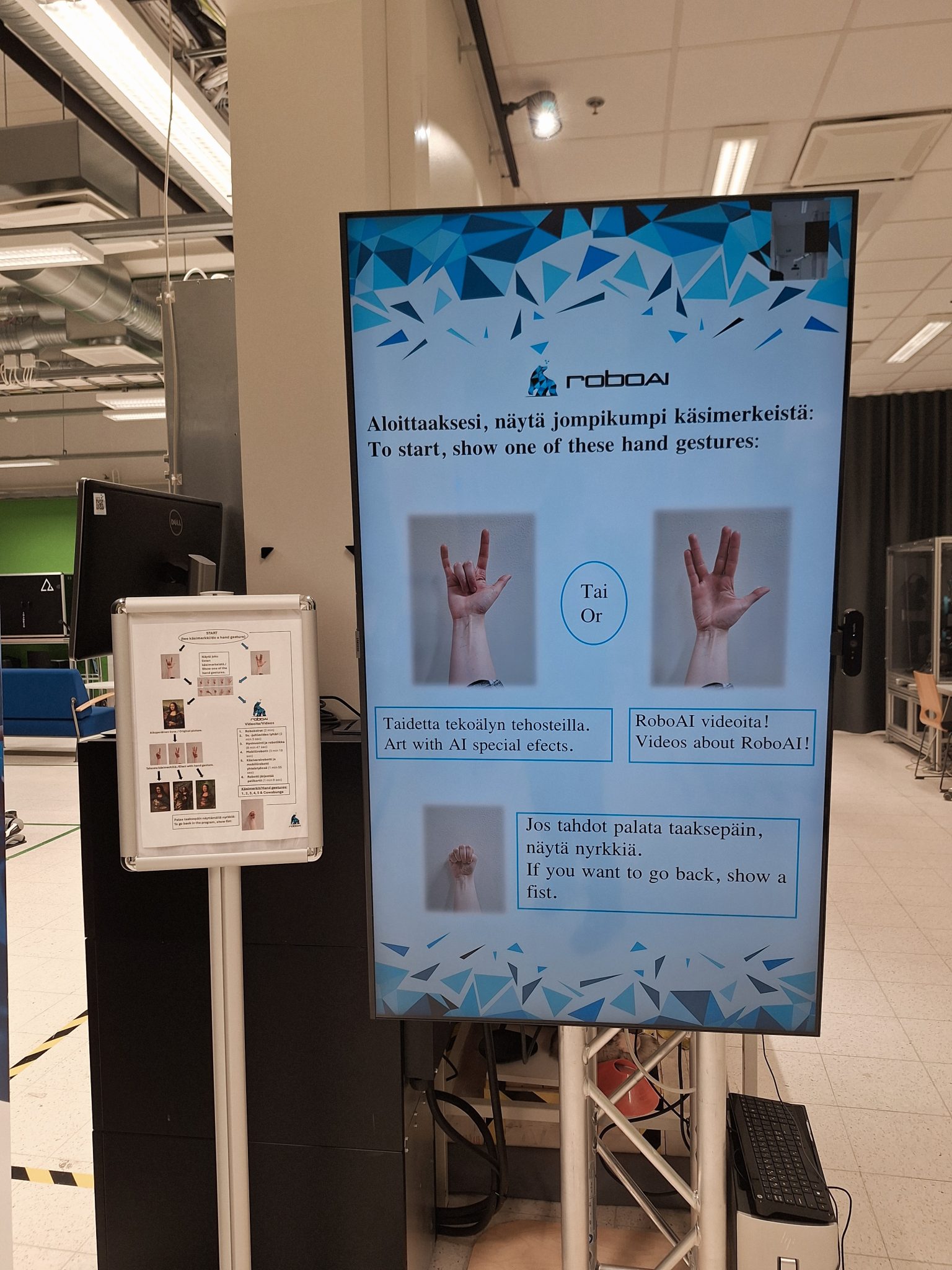
The creation became an interactive installation because the project group wanted to give people the chance to try out the program themselves, so that they could experience something new and possibly emotional in an interesting way. This whole setup was executed with different AI programs, Python code, a Logitech camera and with a big, vertical TV screen.
Project group wanted to take AI’s responsible usage into consideration while making material for the project, so it was decided that no art material would be used without consent from artists. This led to making so called self-made art with AI with the focus being on storytelling and bringing up some type of emotion. With this way of approach, project group made sure that no copyright infringement would be made and that artists and their work would be honoured. This was because everything uploaded to AI programs can be used without permission in a new AI generated picture or video later on, which isn’t ideal for artists. Old artwork was also used such as Mona Lisa, which had lost it’s copyright some time ago and was free to use without problems. The artworks created with AI would have some inspiration from what the project group learned during their time at the Art school in Kankaanpää.
How was the whole setup made?
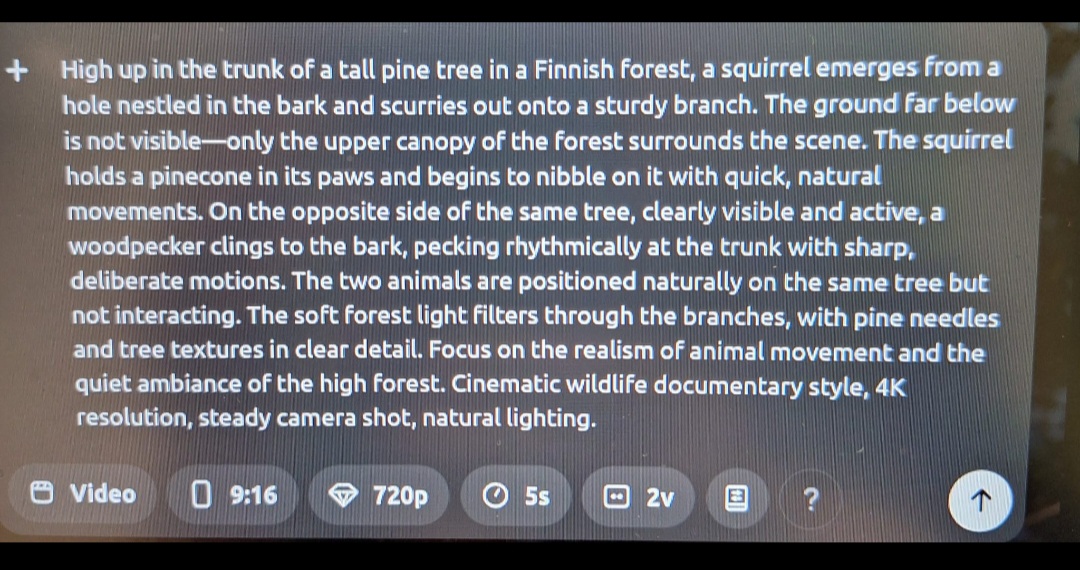
AI programs, such as ChatGPT, WAN and Sora were used during the making of the artwork material. ChatGPT was asked to give a detailed prompt of what was wanted out of the picture or video and this prompt would be given to another AI, which would create the picture or video based on what was written in the prompt. These AI programs would also have settings, where you could specify different things, such as if the material was going to be a picture or a video, what orientation it would be in (vertical or horizontal), what resolution, what aspect ratio (e.g. 16:9) and how long the video would be (e.g. 5 s or 10 s).
After creating enough material, these pictures and videos would be stored to their own folders, from which the program ran by Python code could fetch them when certain commands were given. These commands worked with showing certain hand gestures to the camera, which could recognize the hand gesture with the help from Python code. 21 different set points would be read from the hand, the program would check the position of the points and thus recognize, which of the hand gestures was shown. After this, the program would find and show the material tied to that hand gesture and the person using the program could go through different material using different hand gestures. This program had two different routes to choose from: first route showed AI made art and stories while route two showed RoboAI academy themed videos.
More information about this and other RoboAI Academy projects:
Chief Researcher and Principal Lecturer
Mirka Leino
tel. 044 710 3182
mirka.leino@samk.fi
Researcher and Lecturer
Janika Tommiska
tel. 044 710 6332
janika.tommiska@samk.fi